Free offline text expansion for Windows and Linux
Shortcuts for the text you repeat.
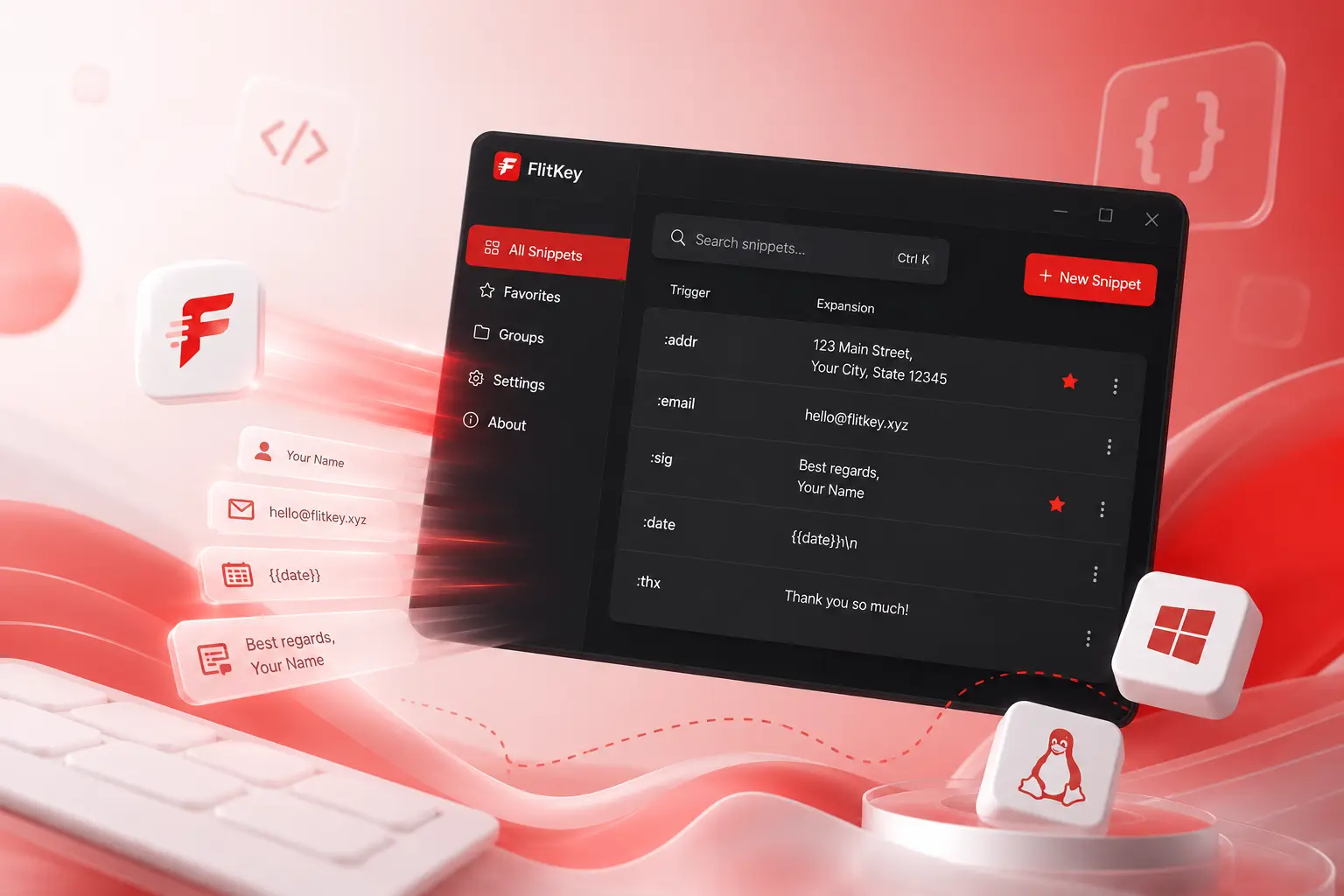
FlitKey is a small, offline text expander for Windows and Linux. Turn a short trigger into a longer block of text, add dates or clipboard content when needed, and start with six built-in packs.

Try FlitKey in your browser
Type a trigger in the box and see the replacement appear.
The parts you use every day.
Nothing you have to work around.
Searchable Snippet Overlay
On X11 and Windows, press Alt + Space to open the picker. On Wayland, open Quick Insert from FlitKey or its tray menu, then paste the selected snippet.
Espanso & AHK Importer
Move supported Espanso (.yml), AutoHotkey (.ahk), CSV, TSV, or JSON records with one import action.
Free & Open Source
MIT-licensed, with every feature included — no tiers, no trial, no account. Read the source, build it yourself, or fork it.
100% Offline & Private
Runs completely locally on your system. Zero cloud server dependencies, zero user registration, and zero data telemetry.
Six expansion packs.
46 snippets ready to use.
Open Expansion Packs in the snippet manager, tick the packs you want, and load them. Snippets merge into your library without overwriting triggers you already use, and anything that doesn't apply to your OS is filtered out.
AI Chatbot & Prompts
10 snippetsPersona setup, code review, bug analysis, and summarisation prompts for ChatGPT, Claude, Gemini, and local LLMs.
:airole :aixplain :aibug
Developer & Engineering
10 snippetsGit workflows, conventional commits, Python and shell scaffolding, shebangs, and Markdown formatting.
:gcm :glog :pydef
Artist, Designer & Creator
7 snippetsColour palette specs, aspect ratio tables, Midjourney flags, UI handoff notes, and asset delivery templates.
:palette :aspect :midprompt
Everyday Productivity
7 snippetsTimestamps, verification stamps, emoji shortcodes, fancy bullets, and workflow symbols for notes and checklists.
:stamp :iso :bullets
Customer Support & Sales
6 snippetsCanned greetings, bug-gathering forms, ticket resolutions, follow-ups, cold outreach, and meeting notes.
:cshi :csbug :csfollowup
System Admin & DevOps
6 snippetsDiagnostic one-liners for Linux and Windows, cURL test templates, and Kubernetes status triage commands.
:sysinfo :curljson :k8spods
Packs are plain JSON files. Put your own in FlitKey's config directory and they will appear in the same dialog.
A shorter route through repeated typing.
Define a trigger
Pick a short abbreviation like ;addr or /date and enter the expanded text or dynamic variables — or load an expansion pack and start with 46 of them.
Type it anywhere
In an editor, browser, terminal, or chat app, FlitKey spots the trigger and replaces it without a copy-and-paste step.
Go dynamic
Add date placeholders, clipboard content, or the {{cursor}} marker so your snippet adapts on supported platforms.
| Trigger | Expansion Output | Action |
|---|---|---|
| ;sig | Your complete professional email signature | |
| /date | Today's date format (e.g. 2026-07-24) | |
| ;addr | Multi-line company mailing address block | |
| ;;br | Canned customer support resolution answer | |
| gm | "Good morning — thanks for reaching out!" |
For the text you type again and again.
Boilerplate, gone.
License headers, git commit stubs, CLI commands, and code snippets, ready when you type in VS Code, Neovim, or the terminal.
Consistent replies.
Canned answers remain identical across your entire support queue, with dynamic customer names and ticket IDs inserted automatically.
Less repetition.
Frequently used terms, Markdown links, templates, and sign-offs — expanded cleanly without breaking your writing flow.
Get FlitKey For Your Machine
Free forever. Standalone installers with no registration required.
Windows
29 MB installer • Not yet code-signed (SmartScreen shows “Unknown Publisher”) • Silent install flags for IT
Free. All of it.
Every feature, on every platform. No tiers, no trial, no account, no card.
Free and open source. Forever.
- Unlimited text snippets on Windows & Linux
- Instant expansion across all desktop apps (X11 & Windows)
- Searchable snippet picker (Alt + Space)
- Espanso, AutoHotkey, CSV, TSV & JSON batch importer
- Dynamic dates, timestamps, clipboard & cursor placement
- System tray controls, autostart & global toggle
- 100% offline • no account • no telemetry
What’s the catch?
There isn’t one. FlitKey is MIT-licensed and runs entirely on your machine, so there is no server to pay for and nothing to monetise. Your snippets never leave your computer — not to us, not to anyone.
It is built by one developer in the open. If it saves you time, the useful things you can give back are a bug report, a star on GitHub, or telling someone who retypes the same paragraph all day.
No testimonials. Just things you can check.
FlitKey is new. Rather than quote anonymous praise, here is evidence you can verify yourself.
Built in the open
- The source is public. Every line is MIT-licensed and readable on GitHub. You do not have to take our word for what it does — you can read it, build it, and fork it.
- A real changelog. Shipped releases with dates and contents, not a roadmap of promises. See the changelog and the release history.
- A named person builds it. FlitKey is built by Swaraj Nandedkar, in the open, under his own name. Bugs and criticism go to the public issue tracker.
Honest about limits
- Offline is verifiable. There are no accounts, no servers and no telemetry. Run FlitKey behind a firewall, or watch it with
tcpdump— it makes no network calls. That is a claim you can test in a minute. - We publish the limitations. Wayland has no typed triggers or global hotkeys. There is no macOS build. The Windows installer is not yet signed. It is all in the support matrix and the Wayland guide.
Free, with nothing to upsell. Every feature ships free — picker, importers, placeholders, dynamic variables. No tier to unlock, no trial to expire, no card to enter. Nothing here is written to move you toward a paywall.
Common questions
Yes. FlitKey runs on your machine. It has no account or cloud service, and it does not send snippet data or telemetry anywhere.
X11: full support. Typed keyword triggers, global hotkeys, and direct insertion all work.
Wayland: partial support. The Wayland protocol deliberately blocks applications from intercepting global keystrokes, so typed triggers and global hotkeys are unavailable — this is true of every text expander on Wayland, including Espanso and AutoKey; FlitKey is not a special case. FlitKey falls back to the snippet picker with clipboard paste, and tray controls and autostart work normally. Run echo $XDG_SESSION_TYPE to check which session you're on.
Linux is distributed as a .deb package for Debian, Ubuntu, Mint, and Pop!_OS, or you can run from source. Flatpak and AUR packages are in progress.
FlitKey imports supported entries from Espanso .yml, AutoHotkey .ahk, and CSV/TSV/JSON files. Complex variables, scripts, forms, conditions, and some multiline formats need manual review; see the migration guide before switching.
No. FlitKey ships with six built-in expansion packs — 46 snippets in total — covering AI prompts, development, customer support, sysadmin and DevOps, design, and everyday productivity. Open Expansion Packs in the snippet manager, tick the ones you want, and load them in a single click.
Packs merge into your library rather than replacing it: if a trigger you already use appears in a pack, your version is kept. Snippets that don't apply to your operating system are filtered out by default. Each pack is a plain JSON file, so you can write your own and drop it into the packs folder in FlitKey's config directory to have it appear alongside the built-in ones.
Nothing is locked away. FlitKey is free and MIT-licensed, and every feature is included. That covers unlimited snippets, the searchable picker (Alt+Space), the Espanso/AutoHotkey/CSV/JSON importers, dynamic placeholders, cursor placement, and tray controls. There is no paid tier, no trial, and no account.
On Windows, run the standalone FlitKey-Setup-0.6.0-x64.exe installer. It is not yet code-signed, so Windows SmartScreen will show an "Unknown Publisher" warning — choose More info → Run anyway. Silent flags (/VERYSILENT) are supported for enterprise IT deployments. On Linux, run sudo apt install ./flitkey_0.6.0_all.deb.
Start with your operating system or migration path
Each hub leads to current guides, limitations, source-linked comparisons, and reusable snippet packs.
Linux, X11 & Wayland
Session checks, Wayland's picker workflow, Espanso comparisons, and Linux installation guidance.
Browse Linux guides → WindowsWindows Text Expansion
Compare visual snippets with AutoHotkey, TextExpander, aText, and other Windows workflows.
Browse Windows guides → MigrationMove Existing Snippets
Back up first, import supported records, inspect unsupported automation, test, and retain a rollback path.
Browse migration guides → CompareHonest Product Comparisons
Clear decision summaries, competitor best-fit cases, and no performance numbers without raw evidence.
Browse comparisons → TemplatesFree Snippet Packs
Review the developer, support, sysadmin, AI prompt, productivity, and creative JSON packs.
Browse snippet packs → AI promptsText Expander for AI Prompts
Save reusable prompts as local shortcuts, add copied context, and use them across ChatGPT, Claude, Gemini, and local models.
Read the AI prompt guide → TrustPrivacy & Security
Understand keyboard access, local storage, clipboard exposure, endpoint controls, and compliance scope.
Browse trust guides →View all articles Read the Linux ranking Espanso vs FlitKey Read the support-team guide